
Apps in review · launching soon
A calendar you write on by hand
Your
calendar.
In
your
own hand.
Write and draw on any day with your finger or a stylus. Create events, keep more than one calendar, share with family and get reminders — on your phone, iPad or tablet.
7 days of free access to start. For iPhone, iPad and Android.
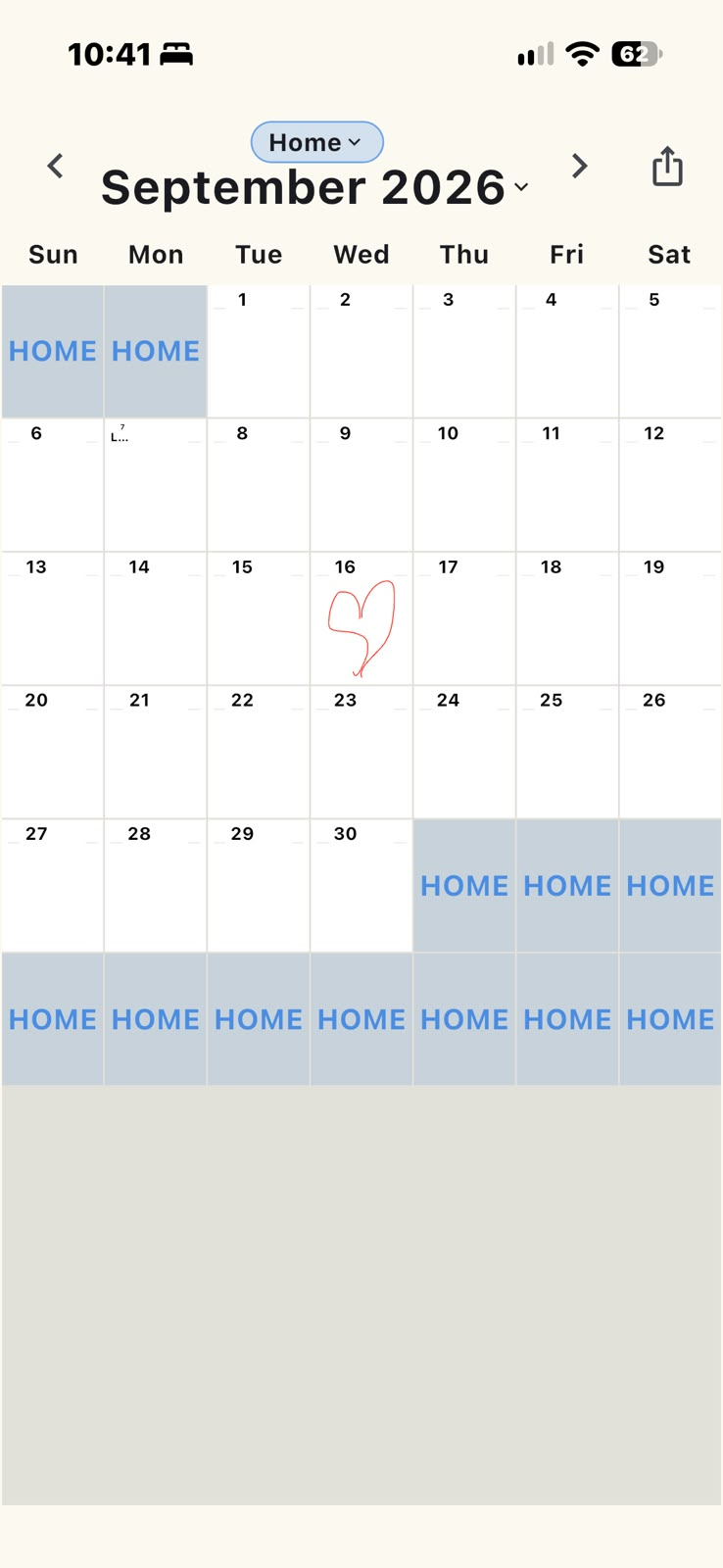
Everything a calendar should do. Written your way.
Simple to learn, with big buttons and clear screens.
Create events
Tap any day to add an event. Repeat it every day, week, month or year.
Draw on the day
Write, doodle or circle a date with your finger or a stylus — just like paper.
Every stroke is saved
Your writing is kept in your account and is there on every device you sign in to.
More than one calendar
Keep Home, Work or any calendar you like, each one separate and easy to switch.
Share with others
Invite family or friends by email. Choose if they can edit or only look.
Alerts and reminders
Get a reminder before the things that matter, like with any other calendar.
As easy as paper
- Open the month See the whole month at a glance, with large dates that are easy to read.
- Tap a day and write Use your finger or a stylus. Add typed notes too if you like.
- Set a reminder Choose when you want to be reminded, and CalendarWrite will let you know.
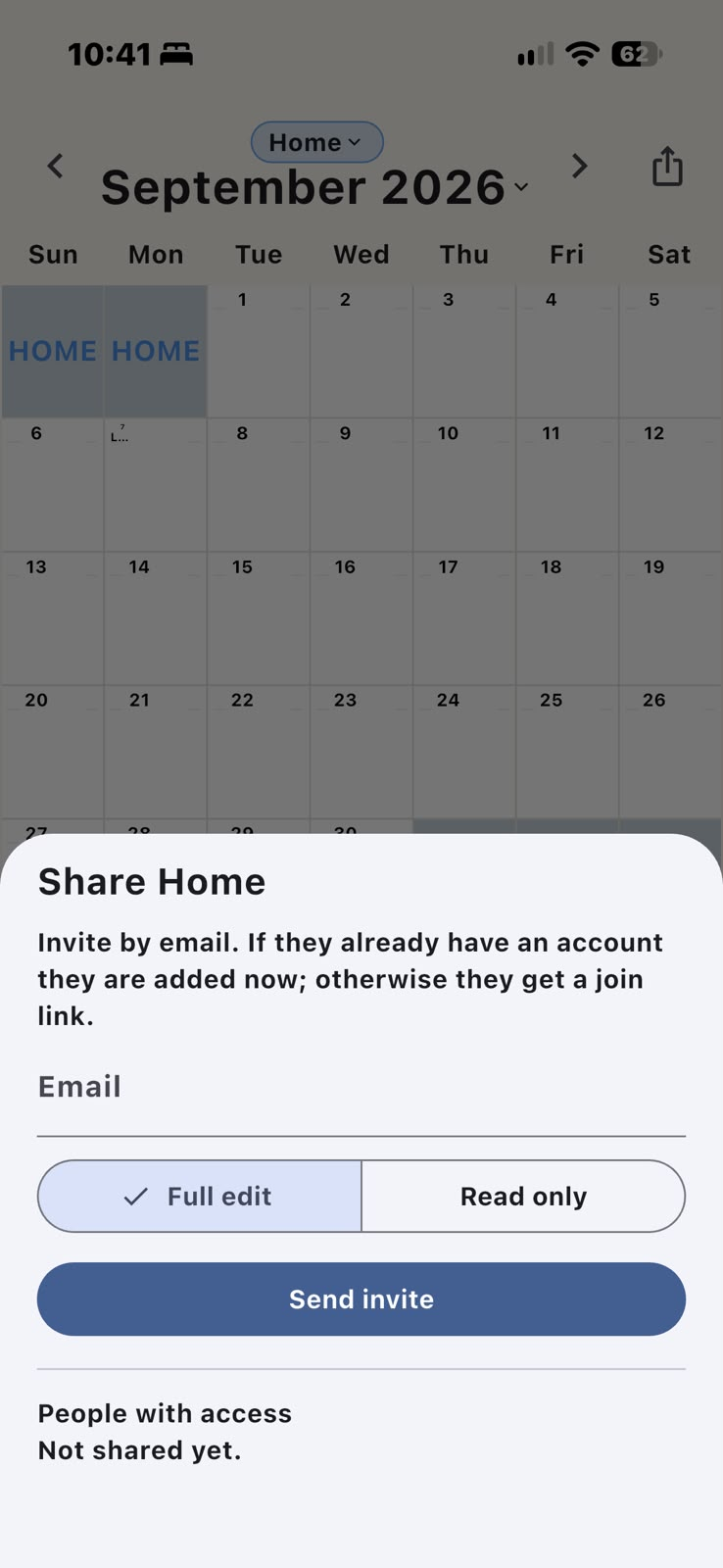
Share a calendar with the people you love
Send an invite by email. If they already use CalendarWrite, the calendar appears right away. If not, they get a link to join.
- Full edit — they can write and draw on the calendar too.
- Read only — they can see it, but not change it.
- You decide what to keep, share or delete.
Launching soon
Your first 7 days are free
Start with 7 days of free access when CalendarWrite arrives on iPhone, iPad and Android.